






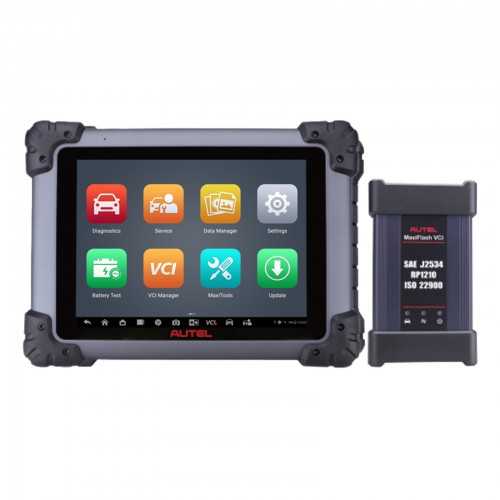
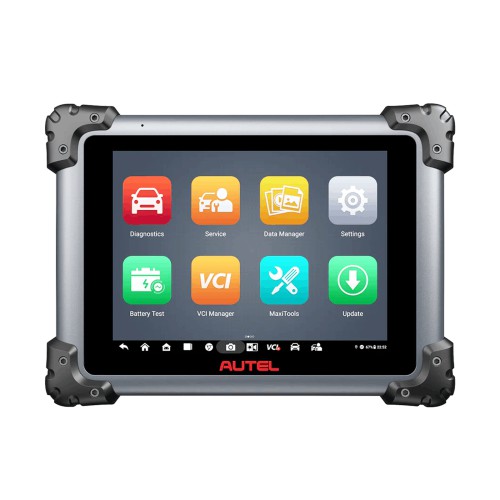
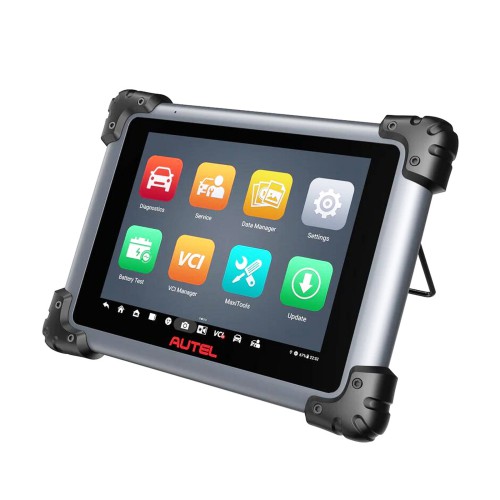
2025 Autel MaxiSys Elite II Pro 9.7'' Diagnostic Tablet with MaxiFlash VCI DoIP & CAN FD
What is Autel MaxiSys Elite II Pro?
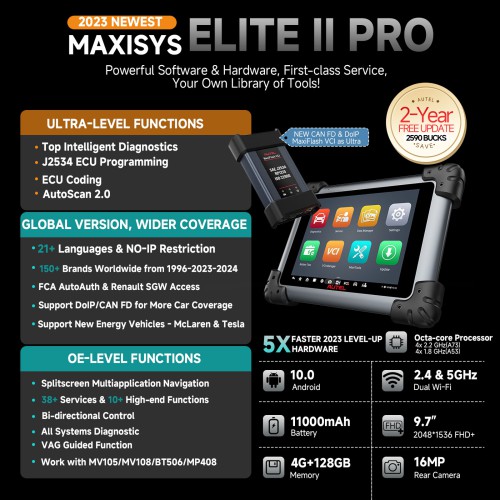
The Autel MaxiSys Elite II Pro is the latest addition to the highly advanced MaxiSys line of smart diagnostic tools, operating on the fast and intuitive Android OS. It's powered by NVIDIA's Tegra® 4, the world's fastest mobile processor, and boasts a visually stunning 9.7" Retina display that offers ultra-high resolutions of up to 2048x1536. With a host of sophisticated and powerful applications, the MaxiSys Elite II rapidly performs comprehensive vehicle diagnostics and analysis, as well as advanced ECU programming. It's 2x faster than any comparable device and offers extended battery life and intelligent power saving. The MaxiSys Elite II also features a super-sensitive capacitive screen that can respond to gloved, moistened, and even greasy fingers. Additionally, the ergonomically angled docking station provides optimum visibility and convenient charging, eliminating power concerns.
Highlights:
1. Global Version, NO IP Limitation, You can use Elite II PRO worldwide.
2. Same as MS919, MS908S II Pro; Upgraded Version of Elite II.
3. Multi-language: English, French, German, Dutch, Polish, Swedish, Korean, Japanese, Russian, and Italian.
4. Secure Gateway Access: Authorized FCA SGM Access with AutoAuth Account
5. One-Stop Intelligent Diagnosis With Topology Mapping, Helping You Have a Clear Picture of Vehicle Status; For each fault code, Elite II PRO performs in-depth analysis and gives the OE data and processing suggestions.
6. WiFi Printing
7. Enhanced Diagnostic Reports: PreSCAN & PostSCAN
8. New VCI Protocols: DoIP/CAN FD
9. Auto VIN & Scan VIN & Scan License & Remote Desk
10. Work on McLaren, Tesla New Energy Vehicles to Complete Full System Diagnosis, Which Other Scanners Cannot Do.
11. 2 Years Free Update Online. After 1 Year
12. Compared with Autel Elite II, Elite II Pro Upgraded Hardware:
Android 10 Operating System & 9.7'' Touchscreen (1536*2048)
Expanded Features:
* Combined with Autel TS508, is a perfect combination with a favorable investment, which can help you to solve the hardest problem.
* Combined with the MaxiBAS BT506 Battery Detector, Combined with the BT506 battery detector, MS908S Pro II can scan the BMS module, detect the battery type, aging condition, and storage condition, and give appropriate maintenance advice. Note: BT506 needs extra purchases.
* Combined with MaxiVideo MV108, This bundle includes Autel MV108 digital inspection camera. It can turn your MaxiSys MS908S Pro II scanner into a video inspection scope, allowing you to examine difficult-to-reach areas normally hidden from sight.
MaxiSys Elite II Pro Features:
The most extensive complete system coverage for more than 80 US domestic, Asian and European makes and models
Exceptional OE-Level functionality from comprehensive OBDII diagnostics & services to advanced ECU coding and programming
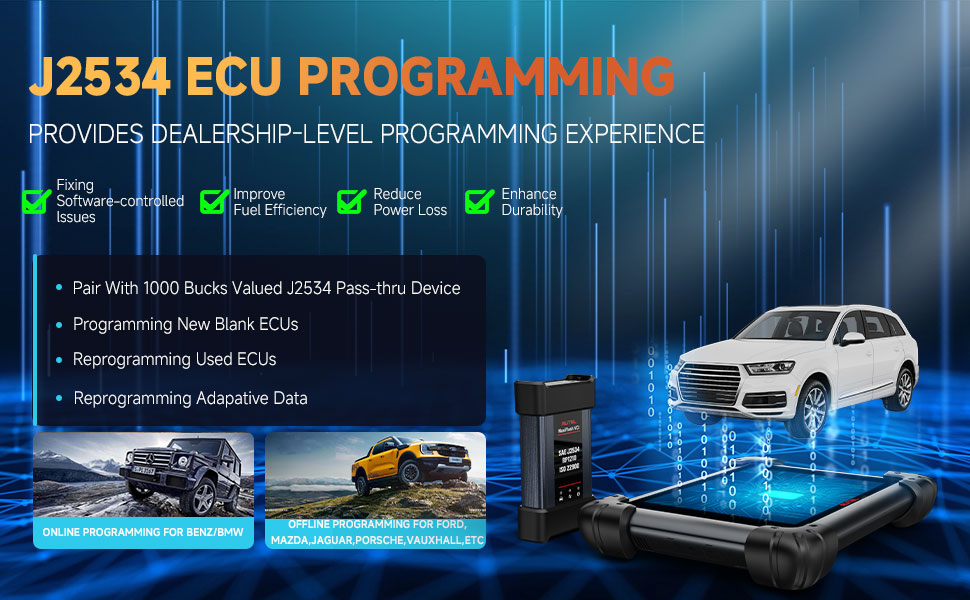
Uniquely integrated vehicle programming capabilities working with a SAE J2534-1 & -2 compliant vehicle programming pass-thru interface
NEW! Technical Service Bulletin search listing
NEW! Guided procedures with DTC Analysis and fault code solutions
Automatic system and software updates with real-time push message notifications via internet
Instant remote control tech support anytime, anywhere
Interactive Data Logging sessions enable direct contact with Autel Support for first-hand troubleshooting of diagnostic bugs and errors
One-stop multitasking designed for ideal management of workshop operations to keep all data files, customer info, and vehicle records well organized
Unique ergonomic design with rubberized outer protection and a rugged internal housing
Extensive Vehicle Coverage:
Elite II PRO aims to offer one-stop repairing solution for 99% vehicles even with some luxury cars, such as Porsche, Maserati, McLaren, Lamborghini, etc. Up to now, MK908P II has supported 150 cars brands from 1996 to 2023 to greatly boost your reparing business.
Protocol Supported:
KWP/ CAN/ UDS/ OBDII, D-PDU/ J2534/ RP1210, 2018+ FCA SGW (AutoAuth); cover the overwhelming majority of vehicles made of US, Asian, and European.
Pre- and Post-Scan Reports & Wi-Fi Print:
* Pre-SCAN reports allow the technician to create and submit pre-repair diagnostic reports for expedited insurance carrier approval of repair estimates, and to help avoid additional insurance authorizations.
* After repairs finish, you can generate a Post-Scan report to confirm all pre-repair faults are gone and detect if there are new DTCs during the repair. The pre-scan report and post-scan report can merge into a single report file.
ECU Online Programming & Coding
Autel MS908S Pro II comes with MaxiFlash Elite VCI J2534 Pass-Thru ECU Programming Tool, capable of replacing the existing software/ firmware in the Electronic Control Units (ECU), programming new ECUs and fixing software-controlled drivability issues and emission issues. Autel Scanner MS908S Pro II support both online & offline ECU programming.
Online Programming for Benz & BMW:
Autel Elite II Pro comes with built-in softwares that able to perform smart & effective online programming functions for all-chassis Ben-z & BM-W vehicles. All crucial programming data are saved online in Autel Cloud servers. The operators just need to follow the on-screen instructions to easily complete the whole process:
* Replace the existing software/firmware in the ECU.
* Program the new blank ECUs.
* Update the ECU software to the latest version.
Special Services Functions
Various scheduled service and maintenance tasks includes: Brake Bleed, Oil Reset, EPB, BMS, DPF, Immo Keys, Injector, SAS, Suspension, Throttle, WIN DR ROOF, Seats, Odometer, Lang Change, CHG Tire Size, TEC Learn, ABS/SRS, Cylinder, Turbocharging, Limit, Clutch, Trans Adaption, Airbag Reset, Headlamp
* Transmission Adaptation: Reset the adaptive shifting points in your automatic Transmission Control Unit.
* Suspension Calibration: Calibrate the suspension height.
* Crankshaft Variation Learn: Enables the computer to compensate for part manufacturing tolerances. To accurately detect an engine misfire throughout the engine RPM range.
* SAS Calibration: Perform calibration of the steering angle sensor, which permanently stores the current steering wheel position as straight-ahead in the sensor EEPROM.
* Battery Registration: Register the new battery to the E_CU after replacement.
* Injector Coding: Coding injectors after replacement.
MaxiFlash VCI Display
1. USB Port
2. DC Power Supply Input Port
3. Vehicle Data Connector
4. Ethernet Port
5. Vehicle LED - flashes green when communicating with the vehicle
6. Connection LED- refer to Table 1-1 Connection LED
7. Power L ED - refer to Table 1-2 Power LED
How to Get Your Autel Elite II PRO Started?
Note: The MaxiFlash VCl is compatible with Autel main cable V2.0 and USB cable V2 only.
1. Connect the main cable V2.0 to the Vehicle Data Connector on the VCI unit, and tighten the thumb screws.
2. Connect the cable's 16-pin adapter to the vehicle's DLC, which is generally located under the vehicle dash.
3. Power up the tablet. Ensure the tablet has a charged battery or is connected to the supplied DC power supply.
4. Connect the tablet with the VCI via Bluetooth or USB cable. Use only the USB cable connection when programming.
5. When the VCI device is properly connected to the vehicle and the tablet, the VCI status button on the bottom tool bar of the screen shows a green badge, indicating the platform is ready to start vehicle diagnosis.
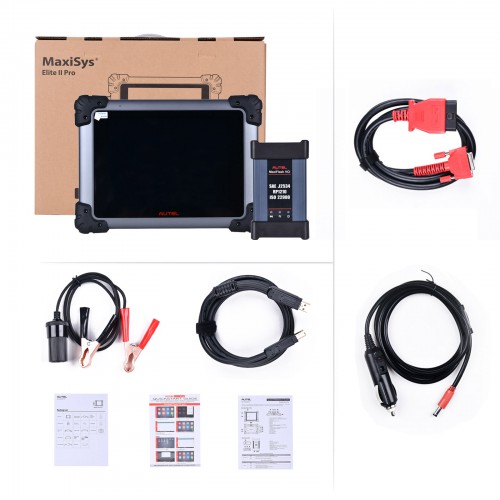
Package List:
1pc x MaxiSys Elite II Pro main unit
1pc x auxiliary power outlet adapter
1pc x quick reference guide
1pc x MaxiFlash VCI
2pcs x spare fuses
1pc x packing list
1pc x main cable V2.0
1pc x clipper cable
1pc x carrying case
1pc x USB cable V2
1pc x AC/DC power adapter(12V)
1pc x mini USB cable
1pc x soft cloth